
Ecommerce automation: what to automate first
Most stores automate the wrong things first. This guide ranks automation by payback period, shows what the leading tools actually cover, and explains how to wire it all together without an engineering team.
What ecommerce automation really means
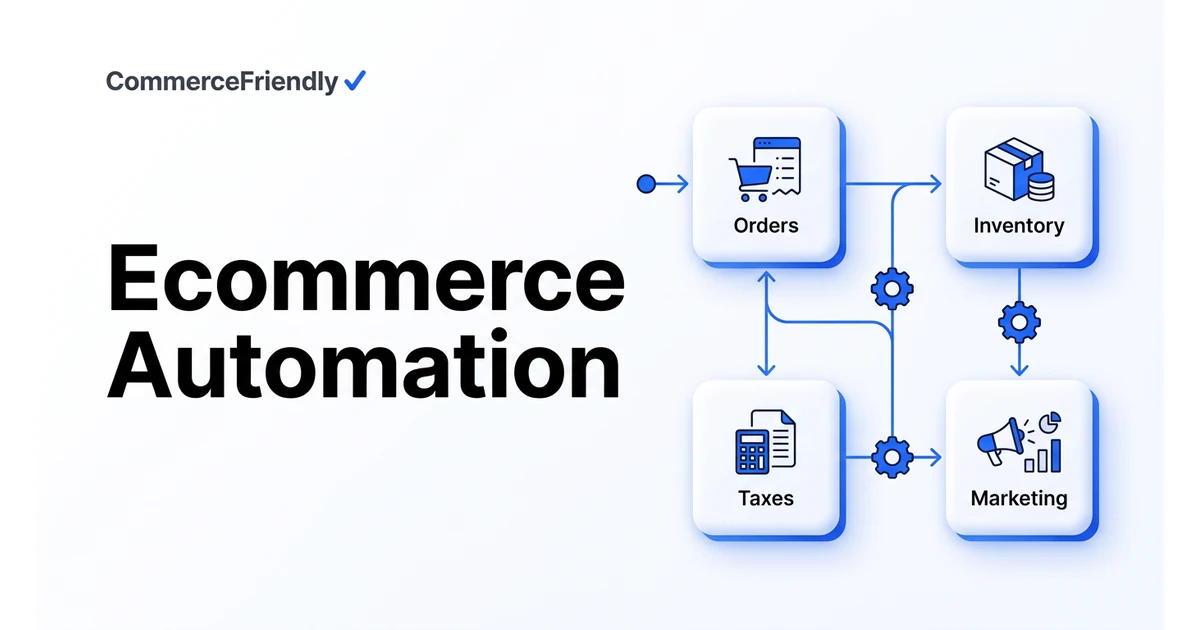
Ecommerce automation is any rule or workflow that moves data between your storefront, payments, inventory, fulfilment, tax and marketing systems without a person copying it. The value is not the individual task saved; it is the elimination of the reconciliation work that appears when two systems disagree.
Roughly 1,900 US searches a month look for this term, and almost all of them land on tool listicles. What operators actually need is a sequence: automate the workflows that fail loudly and expensively first.
The automation priority order
- Inventory sync across channels : oversells cost you money, ratings, and marketplace standing.
- Order routing and fulfilment handoff : the single largest source of manual ops hours.
- Sales tax and VAT calculation plus filing : the highest-risk item to leave manual.
- Payment retries and dunning : recovers revenue you already earned.
- Post-purchase email and SMS flows : abandoned cart, shipping updates, winback.
- Catalog syndication to marketplaces and AI shopping surfaces : reach without extra headcount.
Who is best in this industry
The automation market splits into workflow builders, channel managers, and full-stack setup platforms. Each solves a different slice.
| Tool | Category | Strongest at | Trade-off |
|---|---|---|---|
| Shopify Flow | Native workflow builder | Simple in-store triggers and tagging | Shopify-only, no cross-system setup |
| Zapier / Make | Generic connectors | Gluing any two SaaS tools | You design and maintain every workflow |
| Klaviyo | Marketing automation | Lifecycle email and SMS flows | Marketing only; no ops or tax |
| Avalara / TaxJar | Tax automation | Nexus tracking and filing | One layer of the stack |
| Linnworks / ChannelAdvisor | Channel management | Multichannel inventory and listings | Enterprise pricing and onboarding |
| CommerceFriendly | Commerce setup platform | Configuring the whole stack at once | Newer entrant, opinionated defaults |
How much should you budget for ecommerce automation?
Budgets vary hugely by scope, but a useful way to think about it is in layers. Marketing automation through a tool like Klaviyo often starts free or low-cost at small list sizes. Tax automation is usually priced by transaction volume. Channel and order automation scales with order count and number of connected marketplaces, and is normally the largest line item for a multichannel seller.
Rather than pricing the whole stack at once, most operators build up automation gradually, starting with the workflow causing the most manual pain, and adding the next layer once the previous one is stable. This keeps spend proportional to the problems being solved rather than committing to a large platform contract before you know what you actually need.
A practical step-by-step rollout plan
- Week 1 to 2: map every manual step currently taken from order placement to accounting entry.
- Week 2 to 4: automate inventory sync across marketplaces to stop oversells first.
- Week 4 to 6: automate order routing and shipping labels to remove the largest source of daily manual work.
- Week 6 to 8: connect tax calculation and filing so compliance is not dependent on a manual quarterly process.
- Ongoing: layer in marketing flows and catalog syndication once the operational core is stable.
Common ecommerce automation mistakes
- Automating marketing flows first while inventory and order handling stay fully manual, which limits the growth those flows are meant to support.
- Wiring together dozens of point-to-point automations in a connector tool with no one owning the overall picture.
- Skipping an exception path, so anything unusual either breaks the workflow or gets processed incorrectly.
- Not revisiting rules as order volume grows, so thresholds set for a small store no longer fit a larger one.
- Choosing tools in isolation instead of considering how they will pass data to each other.
Why CommerceFriendly
Workflow builders assume your stack already exists. CommerceFriendly configures payments, tax, shipping and channels first, then automates across them.
Automations span systems you would otherwise wire together by hand in a connector tool.
Stripe, Adyen, ShipStation, Klaviyo, Amazon, TikTok Shop and more, connected with production-grade defaults.
The Commerce Score tells you which automation gap is costing you the most before you build anything.
Frequently asked questions
How much does ecommerce automation cost overall?
It depends entirely on scope. A single workflow, such as abandoned cart email, might cost nothing extra on top of an existing marketing tool. A full stack covering inventory sync, order routing, tax and marketing typically involves several tool subscriptions totalling a few hundred to a few thousand dollars a month, plus setup time, depending on order volume and channel count. Most businesses build this up in stages rather than buying everything at once.
Can I automate my ecommerce store without hiring a developer?
Yes, for most of the common workflows. Native platform tools, marketplace apps and configured setup platforms handle inventory sync, order routing, email flows and tax filing without custom code. Developer time becomes necessary mainly for highly custom logic that off-the-shelf tools do not support, which is a small minority of automation needs for most stores.
What is the difference between ecommerce automation and ecommerce integration?
Integration is the connection between two systems that lets data move between them, such as an order flowing from your storefront to your shipping app. Automation is what happens with that connection: rules that act on the data without a person deciding each time. You need integration before you can automate, but a connected system is not automatically an automated one.
What should I automate first with a limited budget?
Start with whatever currently causes the most manual hours or the most costly mistakes, which for most multichannel sellers is inventory sync or order routing. Tax automation is worth prioritising early too, since manual tax handling carries real compliance risk. Marketing flows like abandoned cart and post-purchase email are usually next, since they are quick to set up and improve revenue directly.
How long does it take to set up ecommerce automation?
A single workflow, such as a shipping notification or an abandoned cart email, can often be live within a day using existing tools. A full cross-system setup covering inventory, orders, tax and marketing usually takes a few weeks to configure and test properly, particularly if it spans several sales channels that each need their own rules.
Does ecommerce automation replace the need for a Zapier or Make subscription?
Not necessarily. Generic connector tools remain useful for small, specific automations between two apps that a broader platform does not cover. Where they fall short is at scale: dozens of individual workflows in a connector tool become hard to maintain, which is where a setup platform that manages workflows across the whole stack tends to take over.
Keep reading
The full launch sequence, from product data to first paid order.
How the major platforms compare on cost, speed and scale.
When to move off Shopify and which stacks are worth evaluating.
Every setting to verify before you take real money.