
How to sell on Amazon and Shopify at the same time
Amazon brings demand, Shopify brings margin and customer data. Running both is the standard playbook, but only if stock, pricing and fulfilment stay in sync. Here is how to wire the two together properly.
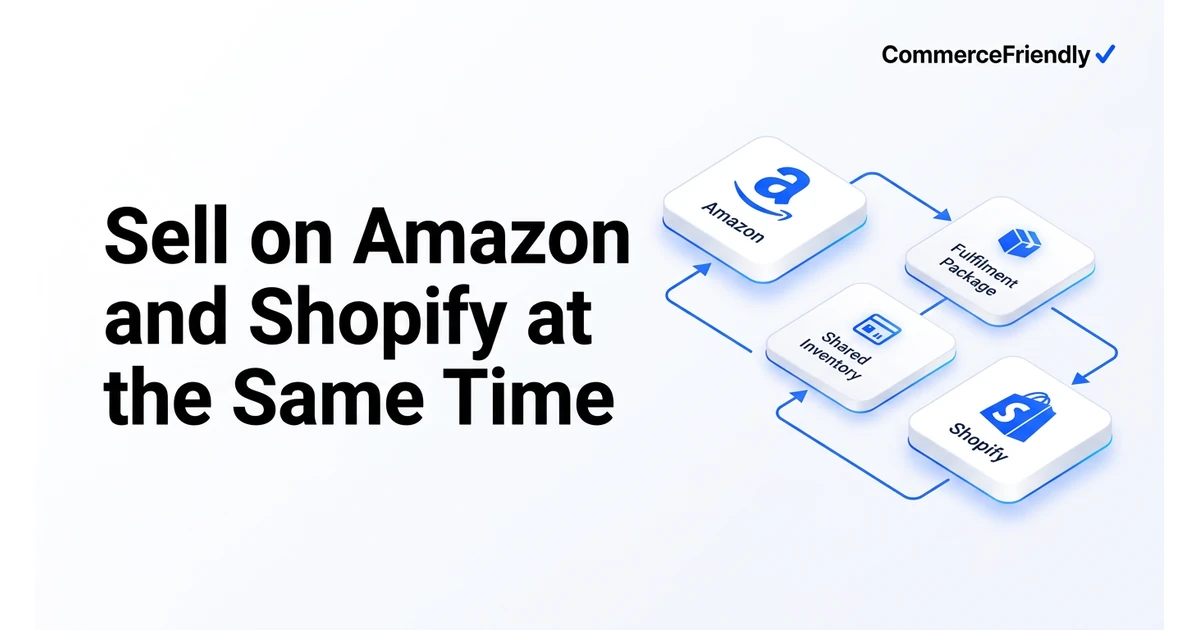
Decide which system owns inventory
The most common failure is two systems both believing they own stock. Choose one master: Shopify, your ERP, or a dedicated inventory layer. Amazon then receives quantity updates; it never sets them.
- Match SKUs exactly between Shopify and Amazon Seller Central : no suffixes, no manual renames.
- Publish an available-to-sell number, not raw on-hand, so allocated and damaged units are excluded.
- Hold a buffer on Amazon (commonly 2 to 5 units on fast movers) to absorb sync delay.
- Reconcile daily for the first month, then weekly.
Fulfilment: FBA, FBM or both
| Model | How it works | Best when | Trade-off |
|---|---|---|---|
| FBA only | Amazon stores and ships all units | Amazon is your volume channel | Shopify orders need Multi-Channel Fulfilment, unbranded packaging |
| FBM only | You ship everything yourself | Custom, heavy or low-volume products | Harder to win Prime badge and buy box |
| Split inventory | Some units at FBA, rest in your warehouse | Both channels have real volume | Two stock pools to balance |
| 3PL for both | One warehouse serves Amazon and Shopify | You want branded unboxing plus scale | Prime eligibility needs Seller Fulfilled Prime |
Pricing, tax and policy details people miss
- Amazon fair pricing policy: a much lower price on Shopify can trigger buy box suppression, so model fees before discounting.
- Amazon collects marketplace facilitator tax in most US states; your Shopify sales are your own obligation.
- Keep product content aligned but not identical : Amazon rewards keyword structure, Shopify rewards brand storytelling.
- Use Shopify for subscriptions, bundles and email capture that Amazon will never give you.
- Send post-purchase Amazon customers to your brand store through inserts and follow-on marketing where policy allows.
Step-by-step setup process
- Audit your Shopify catalog and clean up SKUs, variants and identifiers before connecting Amazon.
- Create or link Amazon listings using the same SKUs, mapping variant options to Amazon's category-specific attributes.
- Connect an inventory sync layer between the two, in read-only mode first, and confirm quantities match for a week.
- Turn on live two-way sync with a safety buffer, then place test orders on both channels to confirm stock decrements correctly.
- Set channel-specific pricing rules that account for Amazon referral fees, then set up tax collection separately for each channel.
- Route all orders into one fulfilment queue, whether that is FBA, FBM, MCF or a 3PL, and monitor for the first few weeks before scaling ad spend.
Which metrics to track once both channels are live
| Metric | Why it matters | Where to watch it |
|---|---|---|
| Sell-through rate per channel | Shows which channel actually moves stock, not just lists it | Inventory system or spreadsheet |
| Contribution margin per order | Amazon fees can erase margin that looks fine on revenue alone | Finance report split by channel |
| Stock sync latency | Slow syncs are the leading cause of oversells | Inventory or order management tool |
| Buy Box win rate (Amazon) | Losing it usually means a pricing or fulfilment speed problem | Amazon Seller Central |
| Repeat purchase rate (Shopify) | Measures whether Amazon traffic is converting into direct customers | Shopify analytics |
Why CommerceFriendly
CommerceFriendly connects Shopify and Amazon as one system: matched SKUs, a single stock pool, per-channel pricing rules, tax configured correctly on both sides and one order queue for your team.
SKU mapping, buffers and update frequency set up so overselling stops being a risk.
FBA, FBM, MCF or 3PL routing chosen by rule based on cost and delivery promise.
Marketplace facilitator rules and your own nexus obligations configured separately.
Referral fees, FBA fees and shipping modeled so you know which channel actually pays.
Frequently asked questions
Can I sell the same product on Amazon and Shopify at the same time?
Yes, this is the standard setup for most brands: the same SKU is listed on Amazon for reach and on Shopify for margin and customer data. The two only need to share accurate stock levels so neither channel oversells the same units.
How much does it cost to run Amazon and Shopify together?
Beyond Shopify's plan fee and Amazon's referral fees (typically 8 to 15 percent per category), you will usually pay for FBA storage and fulfilment if you use it, plus an inventory sync tool if Shopify's native connectors are not enough. Total added cost for a small catalog is often $50 to $300 a month before ad spend.
Will selling on Amazon hurt my Shopify store?
Not if pricing and positioning are handled deliberately. Problems arise when identical products are priced much lower on Shopify, which can trigger Amazon's fair pricing policy, or when all marketing budget goes to Amazon and the Shopify store is left without its own traffic.
What is the difference between FBA and FBM for a Shopify seller?
FBA (Fulfilled by Amazon) means Amazon stores and ships your stock, including for Shopify orders if you enable Multi-Channel Fulfilment, while FBM (Fulfilled by Merchant) means you or your 3PL ship every order yourself. FBA usually wins the Buy Box more easily on Amazon but adds storage fees and less control over packaging.
Do I need separate inventory for Amazon and Shopify?
No, a single stock pool with a small safety buffer allocated to each channel is more efficient than two separate pools, because it avoids stranding stock on one channel while the other runs out. The buffer just needs to be large enough to absorb the delay between an order and the next sync.
Who is responsible for sales tax on Amazon versus Shopify orders?
Amazon collects and remits marketplace facilitator tax on your behalf in most US states, but Shopify sales are your own responsibility unless you configure tax collection yourself. Treat the two as separate tax obligations even though the product being sold is identical.
Keep reading
Automate orders, inventory, tax and marketing workflows end to end.
The full launch sequence, from product data to first paid order.
How the major platforms compare on cost, speed and scale.
When to move off Shopify and which stacks are worth evaluating.