
How to manage inventory across multiple stores
Multiple storefronts, warehouses or retail locations turn a simple stock count into an allocation problem. This guide covers the model, the rules and the checks that keep every location accurate.
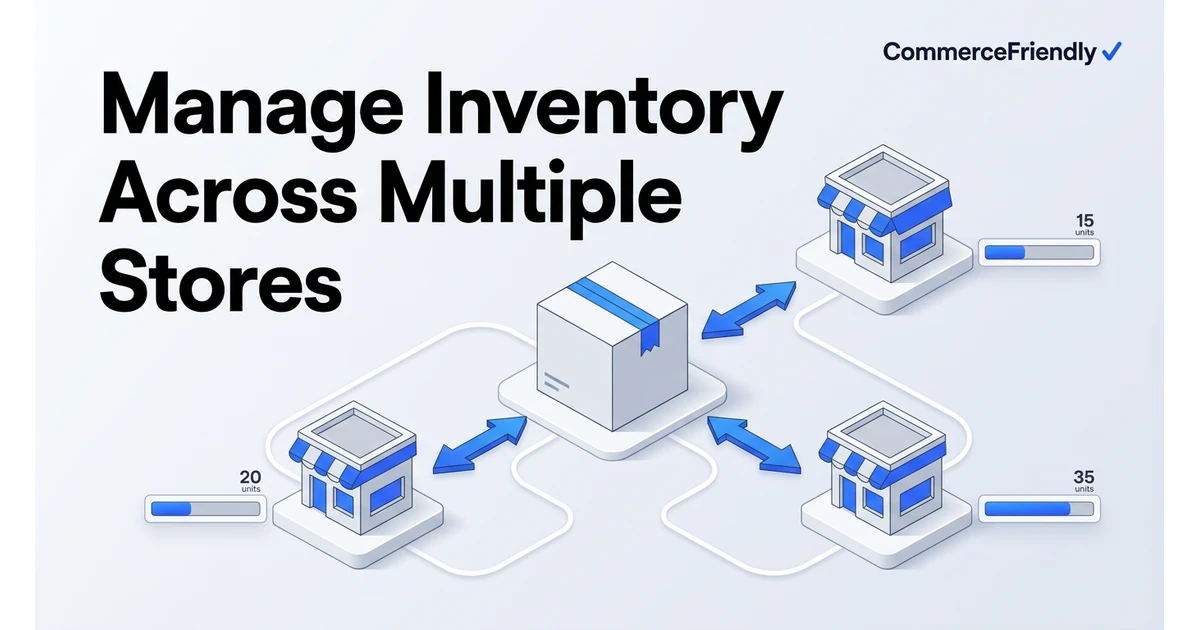
Build one stock model before you add tools
- On-hand: physical units at a location.
- Allocated: units committed to unfulfilled orders.
- Available to sell: on-hand minus allocated minus safety buffer. This is the only number channels should see.
- Incoming: purchase orders and transfers with expected dates, used for backorder promises.
Once these four numbers exist per SKU per location, almost every multi-store inventory problem becomes a rules question rather than a data question.
Choose an allocation strategy
| Strategy | How it works | Best for | Risk |
|---|---|---|---|
| Shared pool | All stores draw from one total | Single warehouse, several storefronts | Race conditions without buffers |
| Fixed split | Each store gets a reserved quantity | Guaranteed stock for a key channel | Stranded stock in a slow store |
| Percentage split | Stock allocated by share of demand | Predictable, seasonal demand | Needs regular rebalancing |
| Priority rules | High-margin channel served first | Limited supply, hero products | Lower-priority channels stock out |
| Location-based | Orders pull from the nearest location | Multi-warehouse and retail | Requires reliable location-level counts |
Operating routine that keeps counts honest
- Cycle count high-velocity SKUs weekly instead of one painful annual count.
- Log every transfer between locations as a two-step movement so units are never invisible in transit.
- Set reorder points per location using lead time multiplied by daily demand plus safety stock.
- Alert on negative or stale quantities: they signal a broken integration, not a counting error.
- Review dead stock monthly and reallocate it to the channel most likely to clear it.
How much does multi-store inventory management cost?
Costs scale with the number of locations, SKUs and order volume you need to track rather than being a single fixed price. Point solutions that only sync stock levels sit at the lower end, while systems that also handle purchasing, transfers and reporting across several stores cost more but remove more manual work.
The comparison worth making is not tool cost against zero, it is tool cost against the labour spent reconciling counts by hand, the markdowns needed to clear stock stranded in the wrong location, and the lost sales from stockouts that a better allocation rule would have prevented.
Common multi-store inventory mistakes
- Running a fixed split across stores and never rebalancing it as demand shifts by season.
- No two-step transfer logging, so stock in transit between locations is invisible to everyone.
- Treating multichannel ecommerce as a single pool without location-level detail, which breaks delivery promises.
- Ignoring dead stock until an annual count instead of reviewing it monthly by location.
- Letting each store keep its own reorder point instead of calculating it from lead time and actual demand.
Metrics worth tracking across locations
| Metric | What it tells you | Review frequency |
|---|---|---|
| Stockout rate by location | Where demand is outpacing replenishment | Weekly |
| Sell-through by SKU and store | Where to shift allocation next | Weekly |
| Inventory accuracy | How much you can trust the system count without a physical check | Monthly |
| Dead stock value by location | Where cash is tied up in stock that is not moving | Monthly |
| Transfer lead time | How long stock takes to move between locations | Quarterly |
Why CommerceFriendly
CommerceFriendly sets up the stock model, allocation rules and reorder logic across your stores and warehouses as part of your commerce configuration, so accuracy is designed in rather than patched later.
One available-to-sell number per SKU distributed to every store by rule.
Orders pull from the location that meets the delivery promise at the lowest cost.
Reorder points and purchase suggestions based on real demand and lead times.
Alerts when a channel count diverges from the master so you fix it before customers do.
Frequently asked questions
How much does multi-store inventory management software cost?
Simple multi-location tracking inside a single platform, such as Shopify locations, is often included free or for a small add-on fee. Dedicated inventory management systems that handle several stores, warehouses and purchasing tend to run from roughly $100 to $500 a month depending on SKU count and order volume, with enterprise systems priced well above that. Implementation time to map locations and rules correctly usually matters more than the subscription fee itself.
Can I manage inventory across stores using spreadsheets?
It is possible at very low volume, perhaps a handful of SKUs and one or two locations, but it breaks down quickly once you add a second sales channel or warehouse. Spreadsheets have no way to enforce allocation rules automatically or catch a stockout in real time. Most stores outgrow this approach within their first year of multi-location selling.
What is the difference between multichannel inventory management and multi-location inventory management?
Multichannel refers to selling the same stock across several sales channels such as a website, Amazon and a physical shop. Multi-location refers to where that stock physically sits, such as separate warehouses or stores. Most growing retailers need both at once: one pool of stock split across several physical locations and shown correctly on every channel that sells it.
How do I stop stores selling the same last unit?
Use a single available-to-sell number that already subtracts allocated orders and a safety buffer, then push that number to every location or channel rather than letting each one track its own count. A small buffer on secondary channels and near-real-time updates close most of the remaining risk. A daily reconciliation catches the rare case that still slips through.
How often should I cycle count inventory across multiple stores?
High-velocity SKUs benefit from weekly spot counts since errors there cause the most stockouts and oversells. Slower-moving stock can be counted monthly or quarterly. A full physical count once or twice a year is still worthwhile to catch shrinkage and damage that day-to-day counts miss.
Should each store have its own safety stock level?
Yes, because demand, lead time and delivery reliability usually differ by location. A store near your main warehouse can run a smaller buffer than one served by a slower or less predictable supply chain. Setting one blanket safety stock number across all locations usually means some stores carry too much stock and others still run out.
Keep reading
Automate orders, inventory, tax and marketing workflows end to end.
The full launch sequence, from product data to first paid order.
How the major platforms compare on cost, speed and scale.
When to move off Shopify and which stacks are worth evaluating.