How to set up an online store
Not a platform review : the actual launch sequence. Do these steps in this order and you avoid the three rebuilds most first-time sellers pay for: wrong tax setup, wrong product data model, and channels bolted on too late.
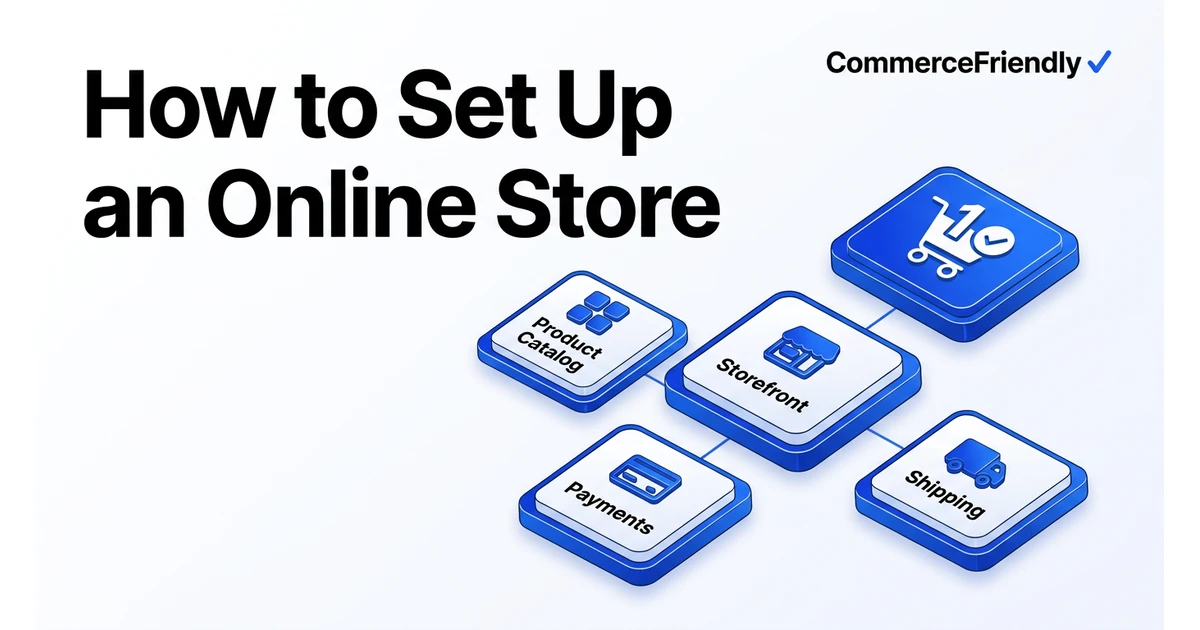
Step 1 : Decide the commercial model before the platform
B2C, B2B, subscription and marketplace models need different checkout, pricing and tax behaviour. Choosing a platform first and the model second is the most common cause of a rebuild in year one.
Step 2 : Build the product data model
- SKU scheme that survives variants, bundles and future marketplaces.
- Attributes marketplaces require (GTIN, brand, category, condition) captured from day one.
- Images and copy sized for storefront, Google Shopping, and AI shopping surfaces at once.
- Tax codes assigned per product, not per store.
Step 3 : Payments, tax and shipping together
These three decide your checkout conversion and your compliance exposure. Configure them as one unit: a payment provider that supports your markets, tax registration and nexus rules for those same markets, and shipping rates that reflect real carrier costs rather than a flat guess.
Step 4 : Channels and analytics on launch day
Storefront-only launches leave demand on the table. Get catalog feeds into marketplaces and shopping surfaces at launch, and confirm ecommerce tracking fires correctly before your first ad spend.
How much does it cost to set up an online store?
Platform fees are the smallest part of the bill. A typical first-year budget breaks down into the plan itself, a small stack of apps for reviews, email and upsells, payment processing fees on every transaction, and either your own time or a developer's for anything the theme cannot do. Businesses that need B2B pricing, multi-currency checkout or marketplace listings should budget for extra integration work, since these are rarely included in a base plan.
- Platform plan: $30-$300 a month depending on tier and features.
- Apps and integrations: $50-$400 a month once reviews, email and inventory tools are added.
- Payment processing: typically 2-3% plus a fixed fee per transaction.
- Design and development: from nothing (theme only) to several thousand dollars for custom work.
- Tax and compliance tooling: often bundled but can be a separate line once you sell in several states or countries.
Common mistakes when starting an online store
The same handful of mistakes account for most of the rework we see. Fixing them before launch is far cheaper than fixing them after the first hundred orders have already used the wrong tax codes or product structure.
- Picking a theme or platform before confirming it supports your tax and shipping requirements.
- Launching without marketplace-ready product data, then re-entering everything a few months later.
- Treating analytics as an afterthought, so the first weeks of traffic are never measured properly.
- Setting a single flat shipping rate that does not reflect weight, destination or carrier cost.
- Skipping a real end-to-end checkout test, including refunds and failed payments, before going live.
Who is best in this industry
| Option | Best for | Time to live | Watch out for |
|---|---|---|---|
| Shopify | Straightforward DTC launches | Days | App stack cost compounds monthly |
| WooCommerce | Full control on WordPress | Weeks | You own hosting, security, updates |
| BigCommerce | Multi-channel and B2B | Weeks | Theme work often needs a developer |
| Wix / Squarespace | Very small catalogs | Hours | Ceilings on tax, B2B and channels |
| Agency build | Complex or bespoke needs | Months | Highest cost, slowest iteration |
| CommerceFriendly | Complete stack configured for you | Minutes | Opinionated defaults you can override |
Why CommerceFriendly
Model, catalog, payments, tax, shipping and channels are configured in dependency order, not ad hoc.
You describe the business; the platform provisions the infrastructure and connects the integrations.
Tax codes, nexus rules and checkout requirements are applied before your first order.
Marketplaces, shopping feeds and AI search surfaces are live at launch instead of quarter three.
Frequently asked questions
How much does it cost to set up an online store?
A basic store on Shopify or a similar platform can start from around $30-$80 a month in plan fees, but real cost comes from apps, payment processing and design work. Most small businesses spend $1,000-$5,000 in the first year once apps, a theme, and any developer time are added. Costs rise sharply once you need B2B, multi-currency or marketplace integrations that the base plan does not cover.
How long does it take to set up an online store?
A simple storefront with a handful of products can go live within a day or two on platforms like Shopify or Wix. A store with proper tax configuration, custom shipping rules and marketplace connections typically takes two to six weeks when done manually. Using a setup platform that configures the stack in one pass reduces this to minutes for the core configuration, though catalog content still takes time.
Do I need a business licence to start an online store?
Requirements vary by country and state, but most jurisdictions require some form of business registration once you sell regularly rather than as a hobby. You will also typically need to register for sales tax or VAT in any market where you meet the relevant threshold. Check local rules before you start taking payments, since retroactive registration can be more complicated than doing it upfront.
Can I set up an online store without any coding knowledge?
Yes. Platforms such as Shopify, BigCommerce, Wix and Squarespace are built for non-technical users and let you configure products, payments and shipping through a visual dashboard. Coding becomes relevant only when you want custom checkout logic, bespoke design beyond what themes allow, or deep integrations with other business systems.
What is the difference between setting up a store and launching it?
Setting up a store covers the technical configuration: platform, products, payments, tax and shipping. Launching adds the commercial and compliance layer: legal pages, tested checkout flows, analytics tracking, and marketplace or shopping feeds. A store can be technically set up but not ready to launch if these checks have not been completed.
Should I start with one sales channel or several?
Most new stores are better starting with one primary channel, usually their own storefront, so the product data and operations are solid before adding complexity. Once orders, inventory and fulfilment are stable, adding a marketplace or shopping feed is a smaller step than trying to launch on multiple channels at once with unproven processes.
Keep reading
Automate orders, inventory, tax and marketing workflows end to end.
How the major platforms compare on cost, speed and scale.
When to move off Shopify and which stacks are worth evaluating.
Every setting to verify before you take real money.